House Rabbit Community and Store

What are we about? Please read about our Forum Culture and check out the Rules.
The subject of intentional breeding or meat rabbits is prohibited. The answers provided on this board are for general guideline purposes only. The information is not intended to diagnose or treat your pet. It is your responsibility to assess the information being given and seek professional advice/second opinion from your veterinarian and/or qualified behaviorist.
› FORUM › THE LOUNGE › OH lord not again
WEll since I fixed everything on computer guess what. The pics won’t copy or paste again. IT is to the point where I just don’t even care anymore.
It is like I dont’ even want to get on the computer.
I restored everything to the beginning I erased all the windows photos everything.
Still won’t copy n paste again. This is just so stupid. I can’t even get Cottons lip fixed for good and now this stupid pinky refuses to stay working right
Looks like i will have to pay to fix it and that person better tell me what is happening that this computer won’t stay working right.
Maybe I will jsut forget about these stupid computers and get a new one shut everything off for 6 months again and here I was trying to get a new phone in jan. You know sometimes things just aren’t worth having.
The only thing i can use to share pics is the email attachments. This is the most I don’t know I am just sitting here crying.
I had installed firefox and I could copy n paste. I downloaded smiley central and cursor mania and I thought google chrome plus fixed my email default to what i wanted now it won’t work right again.
I restored this computer to the day I got it back and it still won’t work. I checked the control panel for these items and they are not listed so why does this thing not work again.
[script removed]
omg photobucket allows me to copy and paste. I even found the pic of Ruby I thought I deleted. This is so absolutely confusing. I don’t know what is happening with this I am afraid to reinstall smiley central and cursor mania or firefox for fear something else is going to stop working again.
I guess I will just do without those things though they were so much fun.
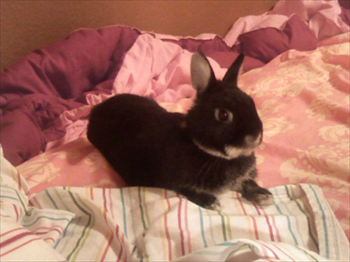

This Pinky is going to drive me to the mental hospital with a serious bout of depression one day. Gosh I hope not
I wonder if it is adobe flash that is messing this up. Could be. Well you are probably tired of hearing about my problems by now
awe geesh now it shows script removed where
http://s258.photobucket.com/albums/…G_0041.jpg
let me try this the actual link and please please let me know if this works
yup it works for me!
Ok thanks I guess I will have to use the shortcut thingy and hope I can upload to photobucket. I have to take this thing in. I wonder if adobe flash player is messing this up. I may uninstall just to see.
Actually, I would stick with Photobucket for loading pix.
I also would try to download Firefox, the newest editiion which is less glitchy I hear, and forget smiley central and cursor mania. Of those, including Adobe Flash Player, the two are the least reliable. See if it helps before you undo Flash. If you do uninstall it, try going to a different site to load it in again? Or is it straight from Adobe?
The pix of Cotton is really, really cute, btw.
BT, do you have any community organisations that help with this sort of thing? Over here there are some places around that do this for free (especially for women too). Also, local libraries sometimes have programs. Basically the volunteers or staff are up with all the knowledge and can help people navigate around the programs along with problem-solving and teaching about things to avoid i.e. downloads that play havoc on your systems! Pinky is portable….maybe you and she need a day out to a place like this. The other option is hiring someone to come to your home but that’s pricey of course.
firefox is amazing- i definitely suggest trying it.
That’s a good suggestion Jersey. Also, routine maintenance can really extend your computer’s life. Like empty your junk mail and delete your trash every time you use your email program. You can go into Options and delete the cookies along with the temporary files, so they don’t take hold and plant things that interfere with its performance.
Defragment at least once a week.
Clean up is a nice way to free up space.
Delete duplicate files, pix, and any programs you no longer use just to give it some breathing room.
And geeks can really mess up a program you got working before when they do their sweeping repairs. Not all geeks are made equal. We have a service at work that we are supposed to call. I walked into my boss’ office last week and she’d been on line with them remotely for 45 minutes trying to find a folder that had disappeared. I looked over her shoulder, told her to press the plus sign under her inbox, and there it was. Good grief. I could make so much more if I went into Geek Business!
Everyone’s already given you some great advice, BT…so I’m just going to give you a hug and hope Pinky gets it’s act together.
I know how you feel about having to deal with old computer VS. new web content and programs…it’s really frustrating. I can hear my tower whining to be put out of it’s misery every time I boot up now. ~_~
Hang in there!
Awwwes…the Boo looks so cute there in all his floppiness! ^_^ I never noticed before that he has white tipped ears!
I’d have to say skip the smiley central and cursor mania thing, of everything you mentioned, those seem to be the most likely to be the culprits of a conflict with other stuff in your system.
The weird thing is that I do not see the smiley or cursor in the control panel to uninstall them. They must be in limbo somewhere and I can’t find it.
I am going to contact microsoft and see if they can help for free hopefully. Hmm the library I can call them and see if they can help and go there if they can. Hopefully that guy from Harris corp will come again just around new years and maybe he can come and see and help. Or maybe win 7 can fix this.
Seems Vista is not doing too good with my Pinky.
Also I checked at home depot and found that Pinky can handle a win7 upgrade. Hopefully that will help with the glitches.
I saw my sons friend and he said my son is still around his worked slowed down so he probably couldnt’ pay the phone bill or get a new phone yet. Glad he is alive and well. Good thing the police dept # I had didn’t work. lol.
And Cotton yes he had some purple on him so you got to see a purple Boo. I wish I could fix him too.
I decided on win 7 why not upgrade. Or I can get a vista software from amazon or microsoft I would rather update tho.
Either way I can always undo everything start all over with the software cd if I run into problems agian.
Can you search for the smiley central and cursor mania things int eh programs list in windows explorer? they may have uninstall executables in their folders.
Let’s put pinky out of it’s misery and get you a new laptop lol. DEATH TO PINKY!!!!
ahh yes. some of those share-ware / free software for smileys and such can be pretty flakey and a lot like a virus when you try to uninstall them. so frustrating. i feel your pain BT. like monkeybun suggests try searching for uninstall .exe files. cool idea to check for orgnizations that have free help too!
I went to office depot and discussed the problem and possible solutions. Seems the smiley and cursor left a mess in my computer. HE recommended a registry cleaner. IT SHOULD work and isn’t a lot of $.
WEdnesday I am going to a computer repair place to see if he can help for free. The guy from Harris might come again b4 new years and maybe he can come and help me I am going to go get Pinky if I see him again. Ask him to take a peek.
IF nothign works I will get Windows Vista and reinstall it to start over AGAIN This time NOOOOOO smiley central or cursor mania. Not that again.
Phew I couldn’t find these things in programs from IE options under tools. The man at office depot says sounds like the registry is messed up and I can probably use the cd again later on to keep Pinky running right So even if it doesn’t solve Pinky’s problem it will still be usefull.
I have hope now. Once again. NOw if only I could fix Cotton lip
I hope your computers don’t read this and decide to act up too. Poor Pinky
mb i am sending u a msg to the msg center
trying to pet boo at the same time
OH MOnkey bun I have never been able to send a message to anyone unless they msg me first. It isnt’ PInky either.
Anyhoo how do I bet into the registry you type something in and up comes a black screen with white writing?
How do I find uninstall.exe.files ? and I think registry cleaner would fix a corrupted file right? I think so as for as what Office Depot said.
Hi BT. I use win XP so hope this is similar to getting you to where you want to go. Go to Start menu and click on search. Choose All files and folders search option. Type uninstall.exe in the search box and Search. All the uninstall files should come up in the RH box.
To get to registry files, go to RUN thru the start menu and type REGEDIT in the box. Though it’s confusing here as you may see. Registry clean up is done thru a program you buy or download I think so viewing registry files may not be much hep just yet. Maybe hold off on this. Try uninstall cursor mania etc first and see how you go.
Oh, and for msg’s that’s weird you can’t do that. I always click on envelop under the persons avatar and it brings up message editor no worries. Another way is go to their profile the “send message” option right of screen. You shouldn’t have probs with that. If you do, maybe put it in the TECH forum and see if BB can remedy it.
OK thanks I remember regedit now that you told me I had those directions written down but couldn’t find them. The harris guy won’t be back b4 jan anyways.
Agreed don’t know how much uninstalling the hidden cursor and smiley files will repair the problem but if it gets rid of those 2 files great.
Plan on definitely getting registry cleaner too. Neighbor told me about another neighbor who is a compute whiz lives across the street but I dont’ know which apartment. I may try finding him thursday
I know this will get fixed sooner or later regardless. I just may have to buy a vista cd to reinstall to fix the problem if nothing else works. Not getting mad about this either. Glad I know what I did that messed it up sure helps in fixing it.
That must have been someone else that told you about ‘regedit’ before.;o)
Just to clarify, I didn’t thing going to registry editor would help much – but I think opening the uninstall files (uninstall.exe) and uninstalling cursor mania etc could help…. Hope you can get it all sorted out.
› FORUM › THE LOUNGE › OH lord not again