House Rabbit Community and Store

What are we about? Please read about our Forum Culture and check out the Rules.
The subject of intentional breeding or meat rabbits is prohibited. The answers provided on this board are for general guideline purposes only. The information is not intended to diagnose or treat your pet. It is your responsibility to assess the information being given and seek professional advice/second opinion from your veterinarian and/or qualified behaviorist.
› FORUM › THE LOUNGE › bunny cam!
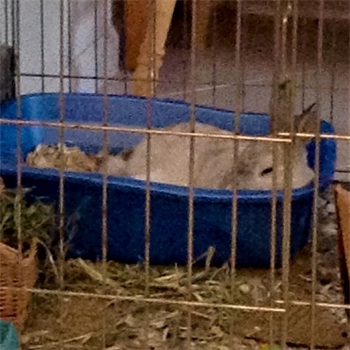
So I finally discovered a way to watch my baby (waste time) at work!  I found this icam app for my ipod and I’m now sitting here watching her eating her pellets and it’s much more compelling than what I should be doing lol.
If anyone wants details, I’ll share the info.
Wow that is cool! how does it work?
Yes, please do!
You get to use your ipad at work?
Lucky you! I can use my phone at my 2nd job.. basically because there aren’t many customers o_O;; and some people study, some read. Hehe.
iPads seem to change us
I don’t have one, but i’ve used a friends one!
I haven’t actually upgraded to the ipad yet – this is only my wee ipod. But oh, this app works via the web also!
It’s called icam and it can be found here: http://skjm.com/icam (it’s a safe link – I vouch for it)
You download their app to setup your webcam – mine is done on my macbook’s internal cam. I can actually set up to 4 webcams at the same time! You set a uid and pwd here.
You also either download the viewer or access the webpage – enter in the same uid and pwd to view it. It’s awesome – I can set it up so that it records any motion, and also just watch a live stream (booooring) lol
I’ll let you guys take a look for a little bit if you want to see it in action:
uid: agarbeck
pwd: merry
but I’m going to turn it off when I’m at home lol
oh, as to using it at work – I’m in computers, so yeah ![]()
Omg! So many people have been paying me out *ahem jersey ahem* about wanting to do this!!! Downloading app on iPad now! How do u stream the webcam???
you can get the streaming app from the same site to put on to a computer attached to a cam (or w/an internal cam)
I think it’s called “source”
merry cam will be live again sometime in the next hour or so ![]()
Wow it really works! Thanks! I’ll share for now but might eventually c hange password.
Username: sesame
password: open
my computer sometimes overheats and automatically shuts off so we’ll have to see if
once I leave for work it does or not.
cool! is there a way to use this pc to pc?
Otti, what a cutie bunny you have!!!
Thanks! I think he’s going to spend most of his day on his beige shelf LOL
Also cainan, I was going to tell you since I checked out Merry’s cam that since the name of your webcam includes what I assume is your real full name, it’s showing up on my iphone when I log in to your webcam with the info you included above.
You might want to disable it until you can rename your webcam, which I think you can do on your computer, though not sure how.
In response to babybunsmum, I think the application is only for use pc to iphone/ipod because the way they make money is by making you download the app on your phone, which costs $5.
You could double-check on their online website though.
poo. ah well.
i’ve long thought it’d be great to see what the fuzzies do all day when i’m gone. hopefully it’s mostly sleeping but it’d be fun to keep an eye on them. i know there ways to set this up. i’m just lazy and thought i lucked out reading this thread ![]()
I lied! I think you can watch icam video on this website as long as you have a username and password for the webcam… makes me feel stupid I bought the app now
LOL
Hmmm actually it’s not working for me, probably because of limits on internet use from my employer. Might work for others though!
My bf has been able to watch Merry from a web browser – so it’s got to be your company’s settings.
Thanks for the tip on the full name!
So far all he’s done is sleep. Sleep on the shelf, sleep by the food dish, sleep in his pet bed under his tent. He got up about 30 minutes ago for an afternoon snack but for the last 2 hours I’ve barely been able to see him since he’s sleeping in his tent lol
I noticed that Merry is very active until about 11, then she sleeps til 4, gets up and probably goes to the litter box, and then sleeps again until 5 something. But it’s still so cute to watch them sleep!
Sammy gets up for pellet breaks lol … wow he’s awake… it’s water time now apparently
For those that are sharing your uid & pwd: Just a friendly reminder that the forum can be read not only by members but by the public in general. So, as long as you don’t have a problem with sharing your info with a stranger on the street, then you’re okay. You also have to remember that over time, you may share all kinds of things about yourself in a forum over time. And then Webcams can reveal day/night, a routine of sorts, and other bits of info you may not think of. I don’t want to make anyone paranoid as petcams are great, and I love to watch them. Just use caution.
A way to offer your webcam to selected people is just to have them message you for it.
Posted By cainan on 01/05/2011 11:35 AM
I’ll let you guys take a look for a little bit if you want to see it in action:
uid: agarbeck
pwd: merrybut I’m going to turn it off when I’m at home lol
Hi, Cainan, I just want to add a gentle reminder that this is a completely open site to readers – not password protected to view all the posts. It’s the same as letting some stranger on the street see your uid and pw, so if you want a bit of protection of your webcam, I’d suggest deleting this info. from the post here and sending access to it to members you know via the Message Center. They can just hit your user name and send you a request to view it. The audio portion might pick up some personal info., like your location, etc. that you aren’t really aware is going out there.
If it’s a public cam, then posting this is no problem. Sometimes when we chat with each other we forget that there can be hundreds of viewers just reading our posts at the same time. (LOL – so Never dis your boss on line!)
in re: sharing my id
thanks for the reminder – it was something I was aware of. If you notice, though, it’s also no longer active. ![]()
You can set up a new username and password each time you set up the webcam, so it’s really not a concern to have the first username and password you pick available to be viewed on a public website. Especially since it’s just a webcam of a rabbit space and therefore gives no indication of where your house might be or of any further details.
As long as your computer webcam is not named with your full name, there’s no way for any stranger off the internet to get your info just by having access to those one-time username and password combos. Just pick a username and password obviously that you don’t use for any other websites/services.
Posted By Otti on 01/07/2011 09:50 AM
As long as your computer webcam is not named with your full name, there’s no way for any stranger off the internet to get your info just by having access to those one-time username and password combos. J
I did not realize that it was a “ONE” time user name and password. Good to know. Thank you Otti! That does make a difference.
It’s still a good idea to just use caution when giving any information on a site that has public access when it is in combination with a forum or chat as people can many times, over time, reveal much more about themselves than they realize. Between photos of their faces, and/or posting something casually about their job, their town, their hobbies, etc etc. I don’t think people realize how much they actually reveal.
Don’t let me make you paranoid or anything
….just concealed and cautious. ![]()
› FORUM › THE LOUNGE › bunny cam!