House Rabbit Community and Store

What are we about? Please read about our Forum Culture and check out the Rules.
The subject of intentional breeding or meat rabbits is prohibited. The answers provided on this board are for general guideline purposes only. The information is not intended to diagnose or treat your pet. It is your responsibility to assess the information being given and seek professional advice/second opinion from your veterinarian and/or qualified behaviorist.
› FORUM › THE LOUNGE › Photo Editing software??
Just wondering what everyone uses for photo editing (not sure if that ‘s the right term)? I want to combine 2 pics of both Minxzie and Beelsee into one pic this year for my Christmas cards (very hard to get a bunny and kitty to sit still together) and the current outdated very very very old software I have will not let me do this
I’ve seen a lot of great pics posted of similar things that I want to do. I am getting overwhelmed by how many programs are out there and if they would do what I would want it to do. EEEKKK can anyone help??? Oh forgot to mention it can’t be complicated also bc I am just not that savy with the computer
and if it’s cheap that would be a bonus also!
Many thanks in advance!
someone was using photo ? or other. I have photobucket You can do stuff there. that other site photo? I wanted to check out but I forgot the last name on it. Photo? Does anyone remember what that was called.
Yeah takes a while to learn all this stuff.
Ahhh that other one I was trying to remember I found it. It is called photoshop. Hmm looks interesting I may just try it out. How about you?
i use adobe photoshop, sadly its very expensive. There is also corel photopaint. two editing sites online are photobucket and picnik. i really like picnik but i dont think you can combine photos there.
Why don’t you just upload the two pix you like to this site, and I’ll copy them and combine them in Photoshop, then reload them to this site. You can save it from here. It’s what I did for bunnytowne’s siggy with Cotton and Ruby, and BB or BT just added Honey Bun to that. Photoshop is expensive and kind of a learning process to buy. But check and see if your computer came with anything, like Microsoft Picture It. Not sure it can do what you want though.
I use PaintShop Pro, mostly. And, oddly enough, I do a lot in the Presentations software that came with the Word Perfect office suite. Despite PSP being more designed for graphics work I still find there are some things that are just easier in Presentations than in PSP.
– Annette
Bunkins – if you know what you want to do and can explain it, I could make something for you ![]()
If you don’t want to send the two pix here, a very very basic suggestion is to just try it in Word. You could insert the two photos one at a time into a Word document, select a background color, then size it down to be half a sheet of paper. Also, you could download free holiday templates for a Word document, insert the photos, write your message, and send it out that way, like a flyer. Hardly the photo program way, but surprisingly effective when you have older programs.
I use Gimp Image Editor.
It does everything that Adobe Photoshop does. However, It is an open source software – so it is FREE!
There is also an excellent tutorial E-book that you can download – also for free – called “Gorking the Gimp”- I think. It is a great way to learn about photo editing.
You guys *sniff* are the best!!!! I was having a heck of a time finding something and my computer only came with Dell Expert Image 2000. It’s sooo out of date and I can’t find any updates. Plus I tried making it merge to old pics and it just won’t work.
Well my first goal is to snap some new pics of my 2 devils hopefully this weekend. Not sure if they are going to cooperate like they did on Halloween, well see. I like the word FREEEEEEEEE that you mention Sage Cat!!! I will def look into that. I will also look into some of the other ones that everyone mentioned. Many thanks to you all for listing them.
rabbitpam and digxmexnow I’ll post the pics here for you when I get them. Just looking to combine them to look like they were somewhat, in a peaceful kind of way, hanging out like best of pals for a long time time type of pic……. LOL! My cards inside will say….
“Now Minxzie! Now Beelsee! Now, Prancer and Vixen! On, Comet! On, Cupid! On, Donder and Blitzen!”
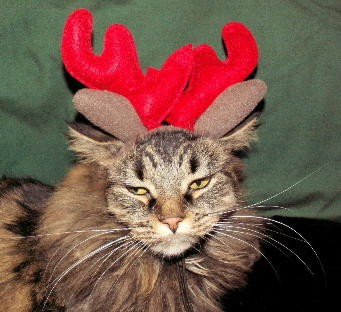
Minxzie my cat will have reindeer antlers on and Beeslee the buns will have jingle bells on. Hmmm may be the other way around if they misbehave!
Thank you very much for offering to come up with something for me. Not sure how fast I’ll be testing some of the programs out and it seems Christmas is just sneaking up sooo fast. AHHHH…stress…..breath…..stress….breath
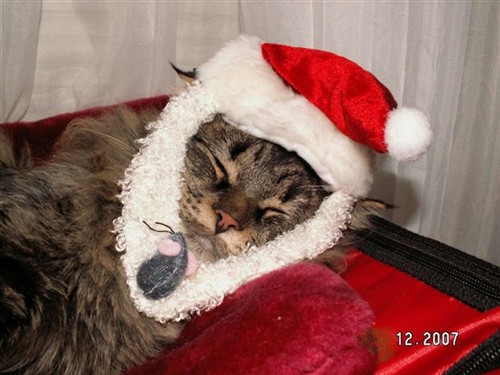
Here was last years picture of Minxzie. Inside it said… Twas the night before Christmas and all through the house Minxzie was not stirring not even her mouse. Took me hours and hours to get this! My work is cut our for me this weekend!!!
Be sure to post what you come up with. I like the message – it’s fun. I seem to remember a member here had 2 buns named after reindeer but you just have Beeslee right?
Hi jerseygirl yes, I only have Beeslee who I found this past summer.
rabbitpam and digxmexnow
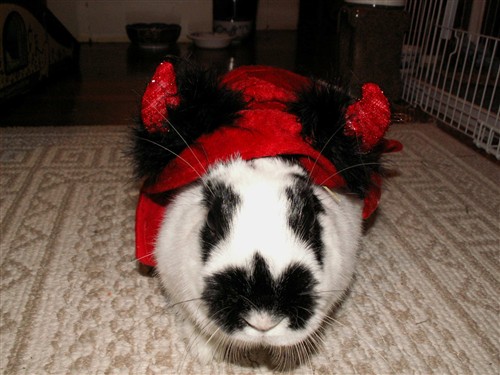
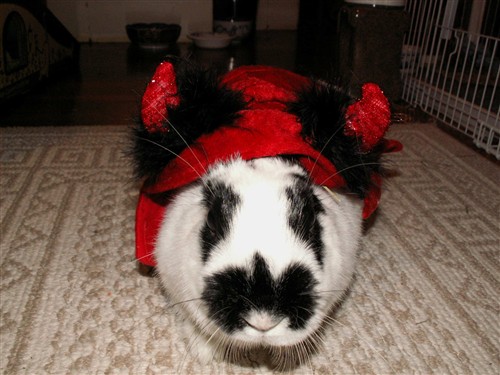
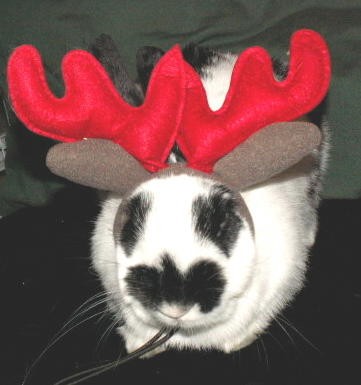
Well after spending the morning trying to get pictures of my devils this is all I could get out of about a 100!! Minxzie looks like she has had to much eggnog and Beeslee well she was somewhat cooperative with all the craisins she got! Gee I hope she does not get poopy bum! I had to nix the bells they both were not to keen on them. To much noise. I just need to have the 2 pics merged together in order to print out one pic for my cards. Can this be done? I really don’t know of anything else that could be done. Any ideas??? Many, many, many thanks for helping me out!!!!!!!!!
1121435511978.jpg
112143551662.JPG
OMG those are ADORABLE!
Of course something can be done. I am heading for work in about an hour, but if I can start something now I will. If not (lazy and need a shower) I will get back to it later and tomorrow. Take heart. It’s too cute not to have fun with.
I just made a PDF in Quark with both pix and a candy cane border, but I need you to reply to my email so I can send it as an attachment. It won’t load to this site. Don’t put your email address here, just reply to mine, or if you didn’t get it, go into my profile, email me and send it.
I think you’ll like it.
I just wanted to say thank you again Rabbitpam!! They may be cute but they are a terror in the house!
I’m with Sage Cat–I use The Gimp, too. Works great, Open Source and, possibly best of all, free.
You’re very welcome.
I advocate the GIMP too – just that I heard of it after a nice person gave me a Photoshop program, so haven’t used it yet.
I love free software.
Also, everyone don’t forget the new Open Office freeware. It’s compatible with Microsoft Office, has mirror products that work the same as the office bundle, but is also free. Try it.
Oh, I love me some Open Office! In fact, I just loaded it up on my Step-Dad-in-Law’s laptop yesterday. He’s running XP and total time for installation was less than 10 minutes. Plus you can export files as .pdf’s so you don’t have to buy expensive propritary software if you want to produce PDF files. Pretty cool.
Now, if I could just get him to switch to Linux…..![]()
Well my Christmas cards with my fuzzy kids are out! Whew! Thank you rabbitpam for setting up the pictures for me.
I loaded gimp up and started to play with it. Pretty cool all the things you can do. Have not been able to make anything yet that looks good but with more practice I’m sure I can get something LOL! I’ll also have to try that Open Office when I get a chance to download it.
Once again many thanks everyone!!!!!!!
› FORUM › THE LOUNGE › Photo Editing software??